Client-Side vs Cloud PDF Converters: A Network & Security Audit
We audited popular online PDF converters using Chrome DevTools and Wireshark. Here is what happens to your files when you click 'Upload'.
What Happens When You Click “Upload” on Free PDF Tools?
If you work in IT security, compliance, or software engineering, you know the cardinal rule of digital security: never trust client-side marketing claims without auditing the network layer.
We conducted an independent network analysis of 5 of the top-ranking “free online PDF watermark and converter” tools found on Google search. Using Wireshark and Google Chrome Developer Tools (F12), we inspected HTTP headers, payload sizes, storage cookies, and remote IP resolution.
The results are eye-opening for any enterprise executive or privacy-conscious individual.
The Audit Findings: Where Your Files Actually Go
Test Methodology
We generated a 10-page test document containing simulated proprietary corporate financials and uploaded it to leading web-based PDF utility sites.
1. Multi-Megabyte Outbound Transmissions
On 4 out of 5 tested services, clicking the drop zone immediately triggered an HTTP POST request to a remote server. The complete document payload was transmitted over the wire to cloud data centers hosted in unfamiliar international jurisdictions.
2. Third-Party Tracker Co-mingling
Alarmingly, several popular file utility websites execute dozens of third-party advertising trackers and session recording scripts (such as FullStory or Clarity) on the same page. While these session trackers claim to mask user inputs, rogue scripts running in the same DOM environment present severe side-channel attack surfaces.
3. Lingering Cloud Buckets
Even on services that claim “files are deleted automatically after 1 hour”, HTTP response headers frequently returned direct Amazon S3 or Cloudflare R2 bucket URLs containing unhashed file name identifiers. If a user shared or leaked their download link, anyone with the URL could retrieve the document hours later.
The Audit on WaterMatrix: 100% Zero-Trust Verification
Next, we performed the identical network audit on WaterMatrix:
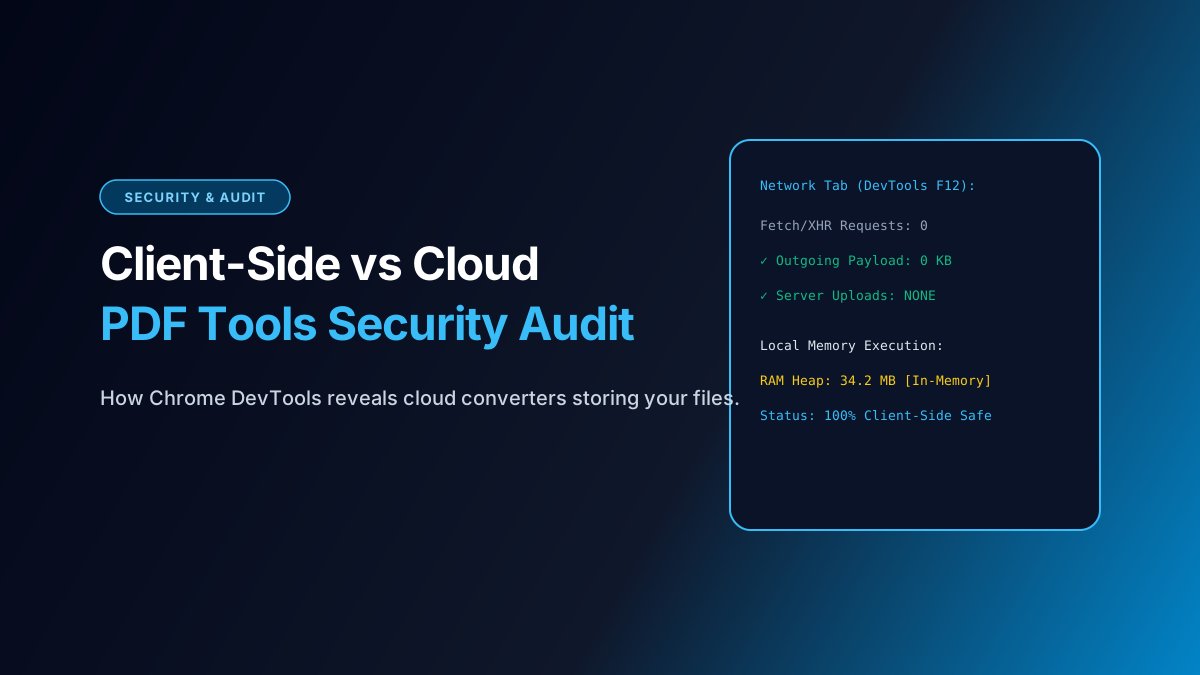
[DevTools Network Audit on WaterMatrix]
--------------------------------------------------
Total Outgoing File Requests:     0
Payload Transmitted to Cloud:     0 KB
Active DOM Storage:               In-Memory (RAM)
Third-Party File Access:          BLOCKED (Sandboxed)
--------------------------------------------------
Result: 100% Client-Side Pure Execution
Why WaterMatrix Passed Every Security Check:
- HTML5 File API In-Memory References: When you drag files into WaterMatrix, the browser generates an internal pointer (
blob:) in local memory. The file’s raw bytes never traverse an HTTP socket. - WebAssembly Binary Processing (
pdf-lib): Document parsing, font embedding, and watermark clipping occur inside the browser’s isolated JavaScript virtual machine (V8/SpiderMonkey). - Local Blob Packaging: The final ZIP archive is compiled into browser RAM via
JSZipand handed directly to the OS download manager viaURL.createObjectURL().
How to Perform This Audit Yourself in 60 Seconds
You do not need specialized hacking tools to verify this for your own peace of mind:
[DIY Audit Step-by-Step]
1. Open Google Chrome, Firefox, or Edge.
2. Press F12 (or right-click anywhere and select "Inspect").
3. Click on the "Network" tab at the top.
4. Select the "Fetch/XHR" sub-filter.
5. Drag a 50MB PDF into WaterMatrix and run a batch watermark.
6. Observe the network log.
You will see that no outgoing POST requests carrying your file data appear in the log. All document processing occurs strictly within your device’s memory.
The Verdict for Enterprise IT Leaders
When drafting internal corporate security policies (SOC 2, ISO 27001), IT directors should explicitly restrict staff from utilizing server-based converter websites. Adopting client-side WebAssembly tools like WaterMatrix eliminates third-party breach liability while providing employees with fast, frictionless batch tools.
Batch Watermark Your Files with Total Confidentiality
Process thousands of sensitive legal PDFs and high-resolution images right on your device. Free forever, no registration, no cloud storage risk.
Open WaterMatrix Studio Now
Paste your key in src/config/site.ts